The product needed to bring several distinct mechanics together — social feeds, short videos, Reddit-style Q&A voting, and vehicle management — without overwhelming mobile users. The main challenge was to structure these flows into an intuitive navigation and consistent visual language while keeping the car central to the experience and ensuring seamless adaptability across both RTL and LTR interfaces.
Snobar — mobile app design for the car community
A dedicated space for car lovers — bringing together social feeds, short videos, Q&A discussions, and vehicle profiles into one unified system.
- Role
- UX/UI Designer
- Timeline
- 2023
- Platform
- iOS / Android
- Skill Set
- Interaction & Visual design, desk research, competitor analysis, wireframing, prototyping, RTL/LTR adaptation
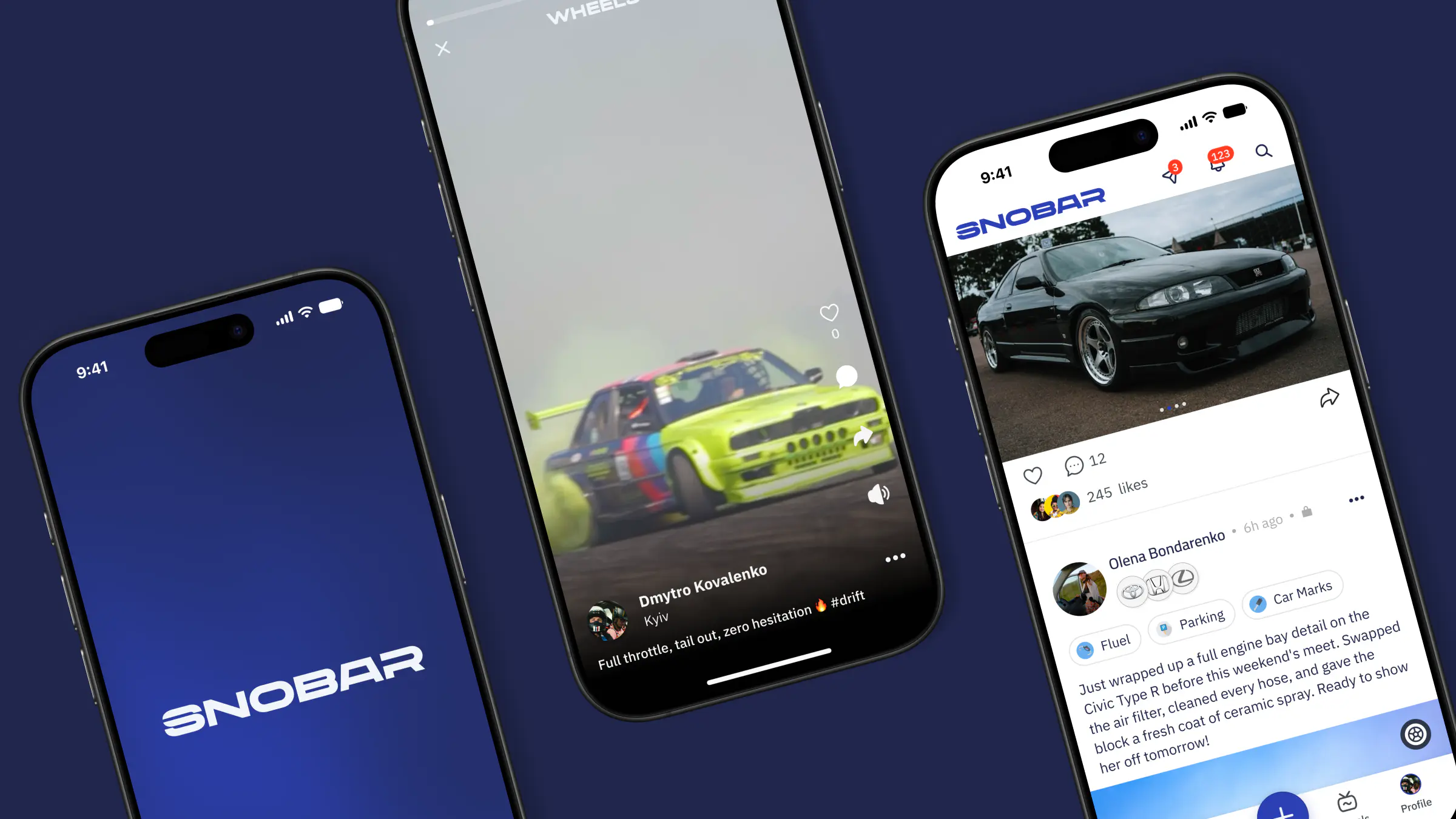
Context
Snobar is a mobile social network for car owners and enthusiasts, built for the Saudi market. The product blends familiar social formats — a content feed, short-form videos (Wheels), and an upvoted Q&A forum — with a dedicated digital garage where users create and manage profiles for their cars.
Unlike a typical social network, the vehicle sits at the heart of the experience: content, profiles, and community discussions all tie back to a user's car. As the UX/UI Designer, I designed the app end-to-end — from onboarding, the feed, Wheels, and Q&A to the garage and profile — translating the product concept into smooth user flows and a scalable visual system tailored for both RTL (Arabic) and LTR (English) layouts.
Deliver a clear, cohesive mobile UX/UI across community, content, and garage flows — anchored by the car profile and built on a flexible bilingual design system (RTL & LTR).
Approach
How the problem was solved
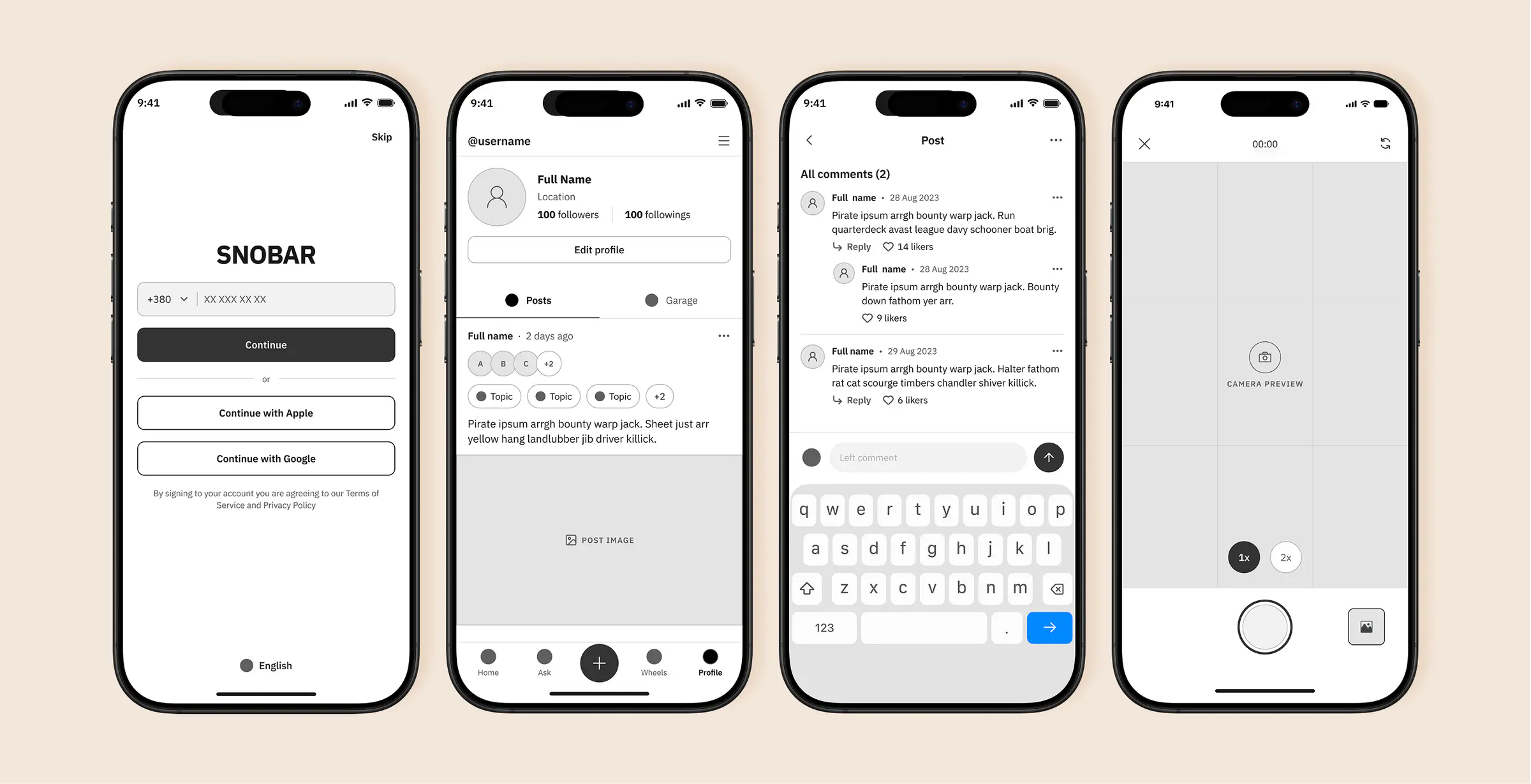
Before diving into visual design, I mapped out the core flows in wireframes — covering the feed, Wheels, Q&A, garage, and profile. This allowed us to lock in the information architecture, navigation, and edge cases early on, without spending time on premature UI polish.
We then ran a round of internal testing on the wireframes, uncovering flow and hierarchy issues at a stage where iterating was still fast and low-cost.
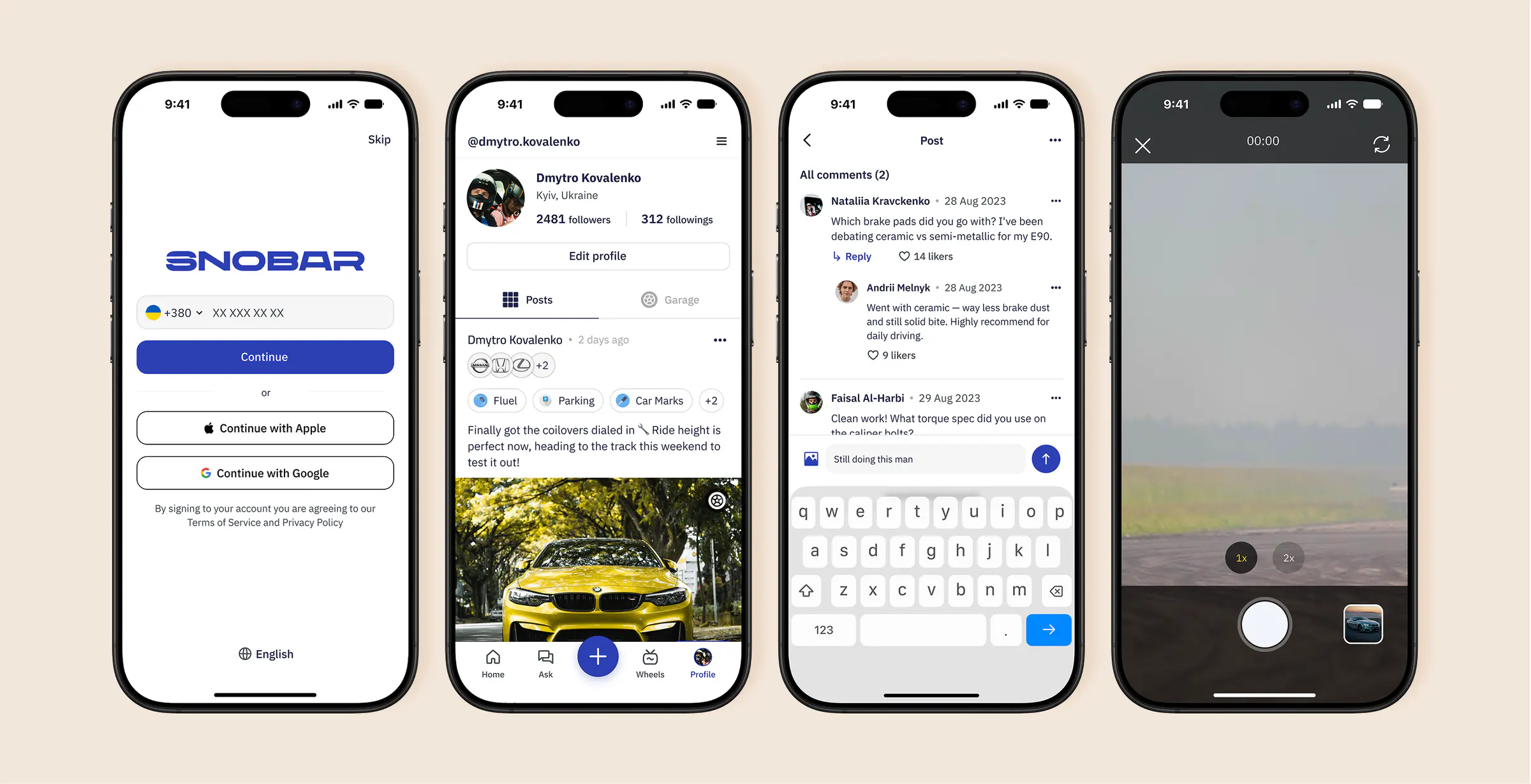
Once the structure was validated, I moved on to the UI and built a scalable component library along the way (supporting both LTR and RTL) — ensuring that decisions made on one screen stayed consistent across the entire app.
01 / 05
Onboarding & Personalisation
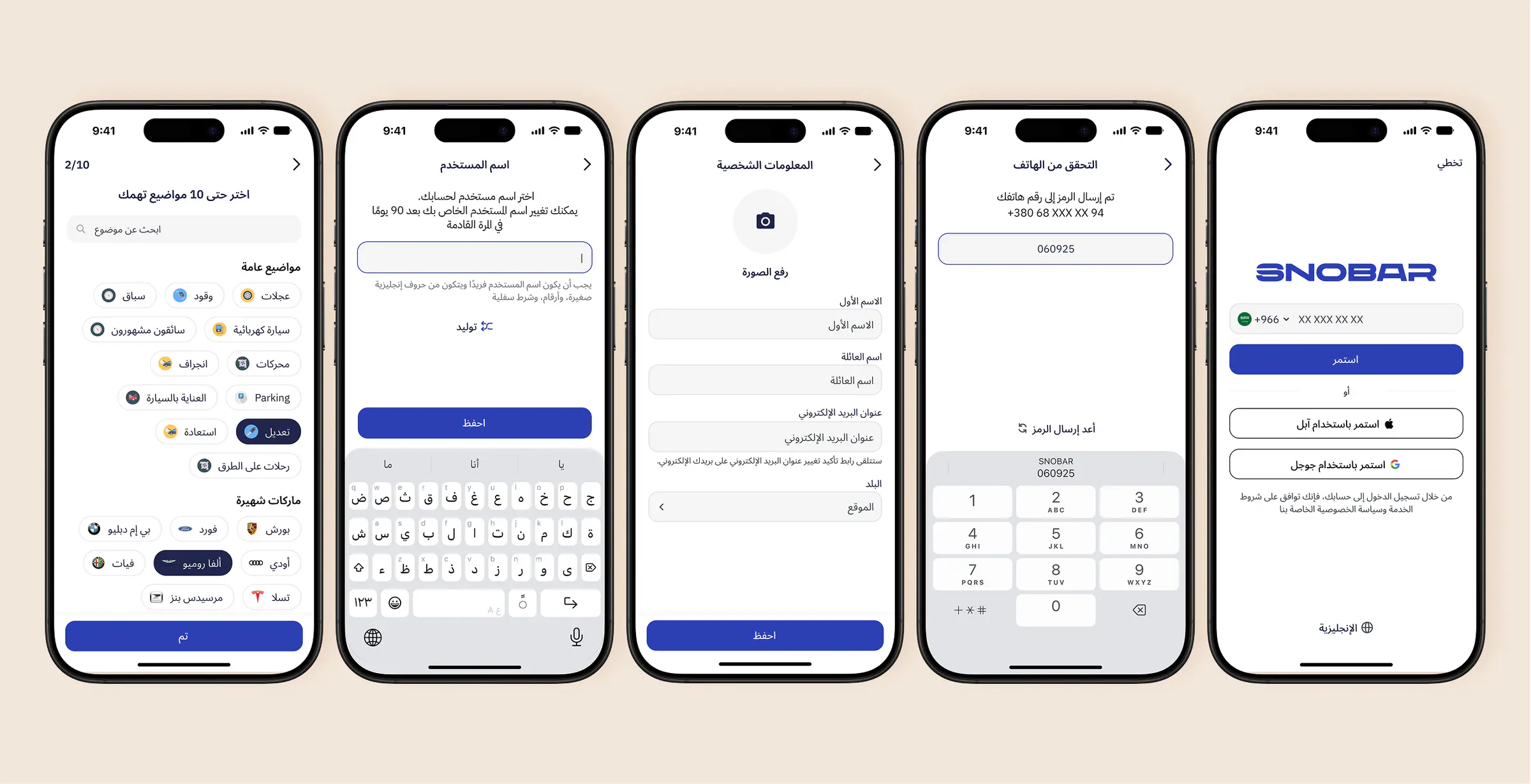
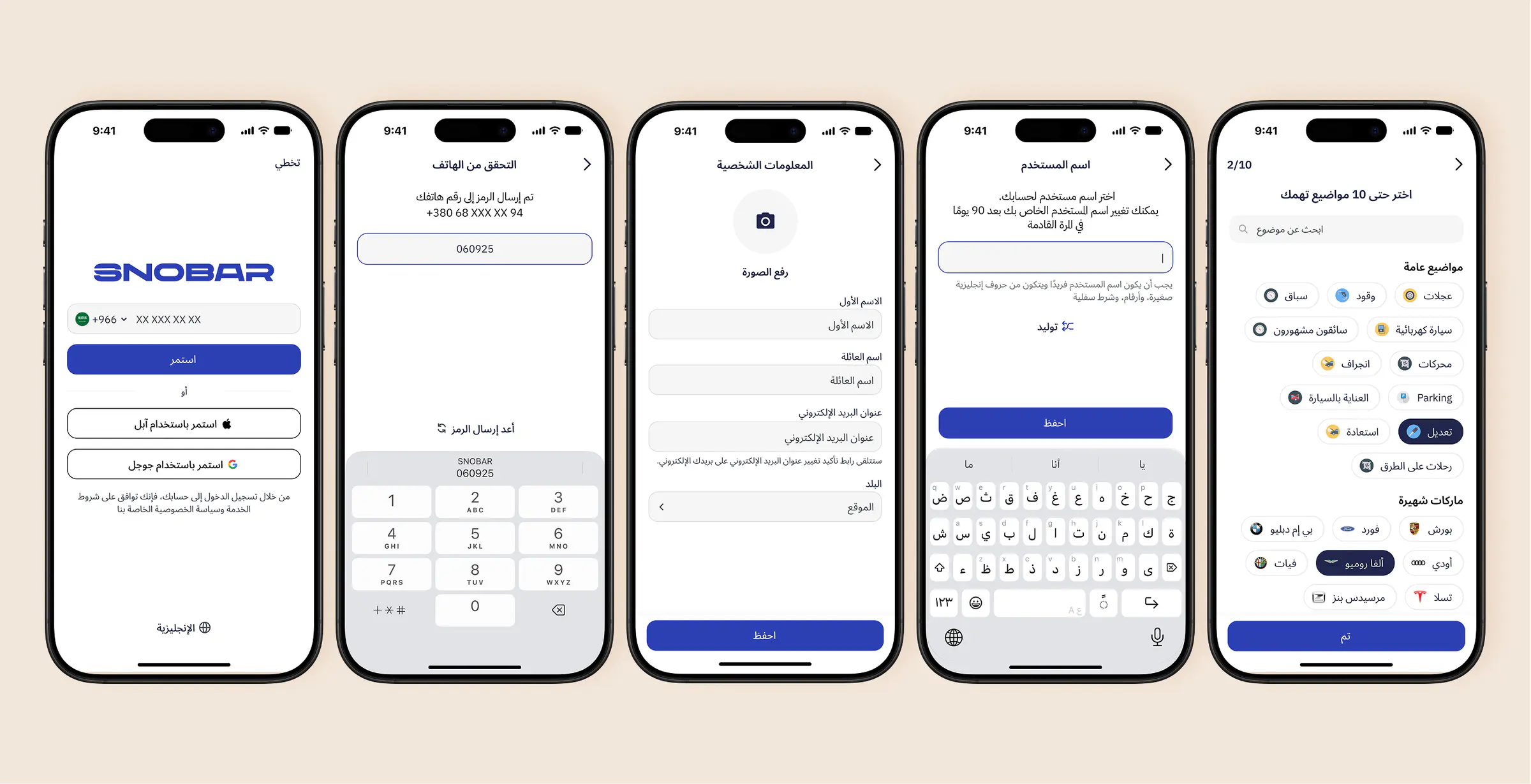
To minimize drop-off, users can sign in via phone, Apple, or Google — or simply hit Skip to explore the app right away.
During profile setup, a built-in generator helps quickly find an available username, while the final step asks users to pick up to 10 automotive topics (like tuning, drift, or EVs) and favorite car brands to tailor their initial feed from day one.
02 / 05
Community: Social feed, Q&A hub & Topic navigation
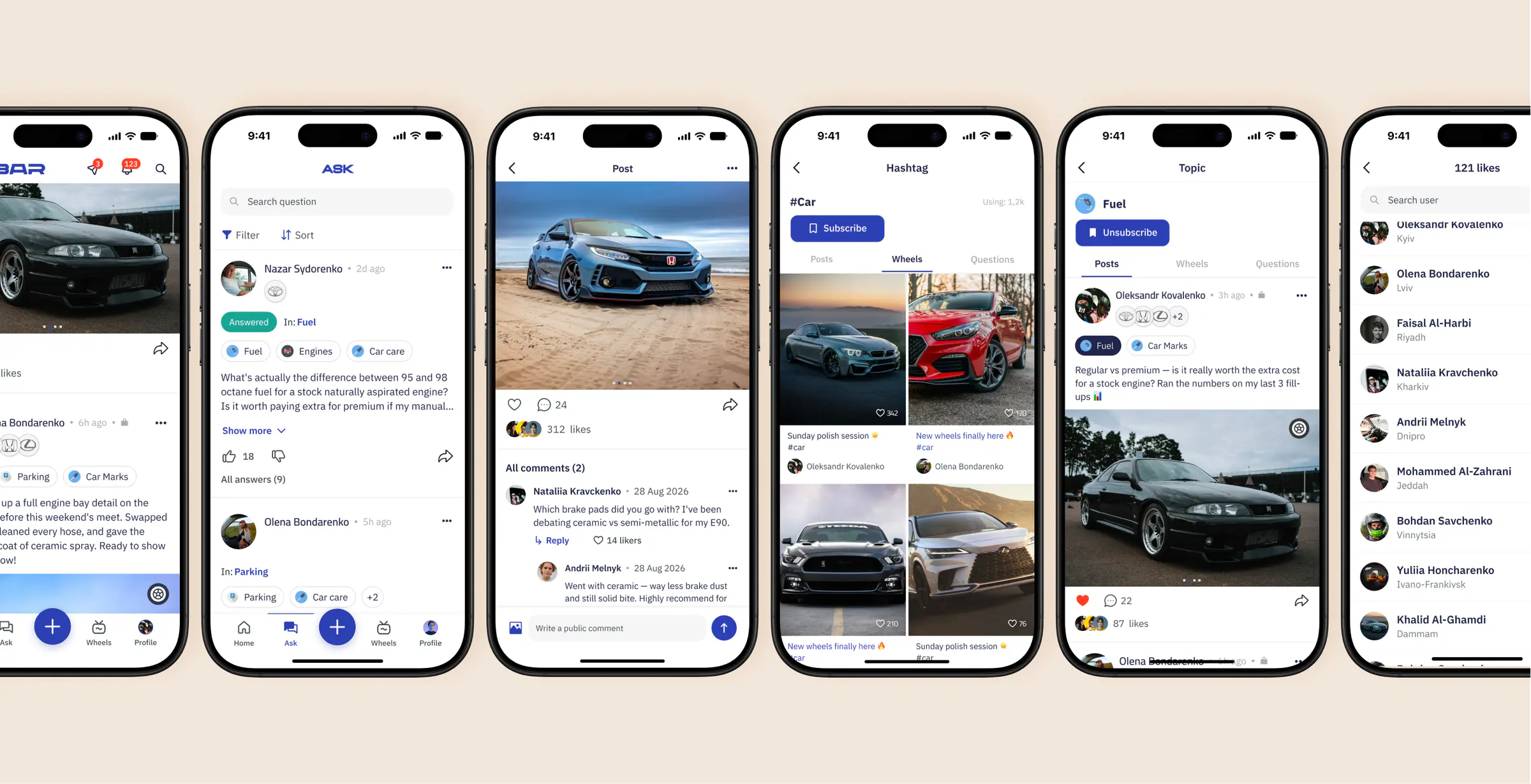
The community experience brings together three core formats: social posts, short-form videos (Wheels), and a dedicated Q&A hub (Ask). To tie these formats together, I designed a cross-app topic and hashtag system — tapping into any topic (e.g., Fuel or Parking) lets users subscribe and seamlessly filter between related Posts, Wheels, and Questions.
The Ask tab works as a structured forum featuring search, sorting, upvoting, and Answered status badges. Across both the feed and Q&A threads, user avatars are paired with badges of the cars they own — keeping vehicles at the center of every interaction and adding credibility to community advice.
03 / 05
Wheels — short-form video creation
Because car culture is highly visual and dynamic, Wheels gives enthusiasts a space to share vertical short-form videos — from tuning showcases to exhaust sounds and road trips. I designed a smooth video recording and publishing flow that lets creators easily tag relevant topics, hashtags, and vehicles.
04 / 05
Digital Garage
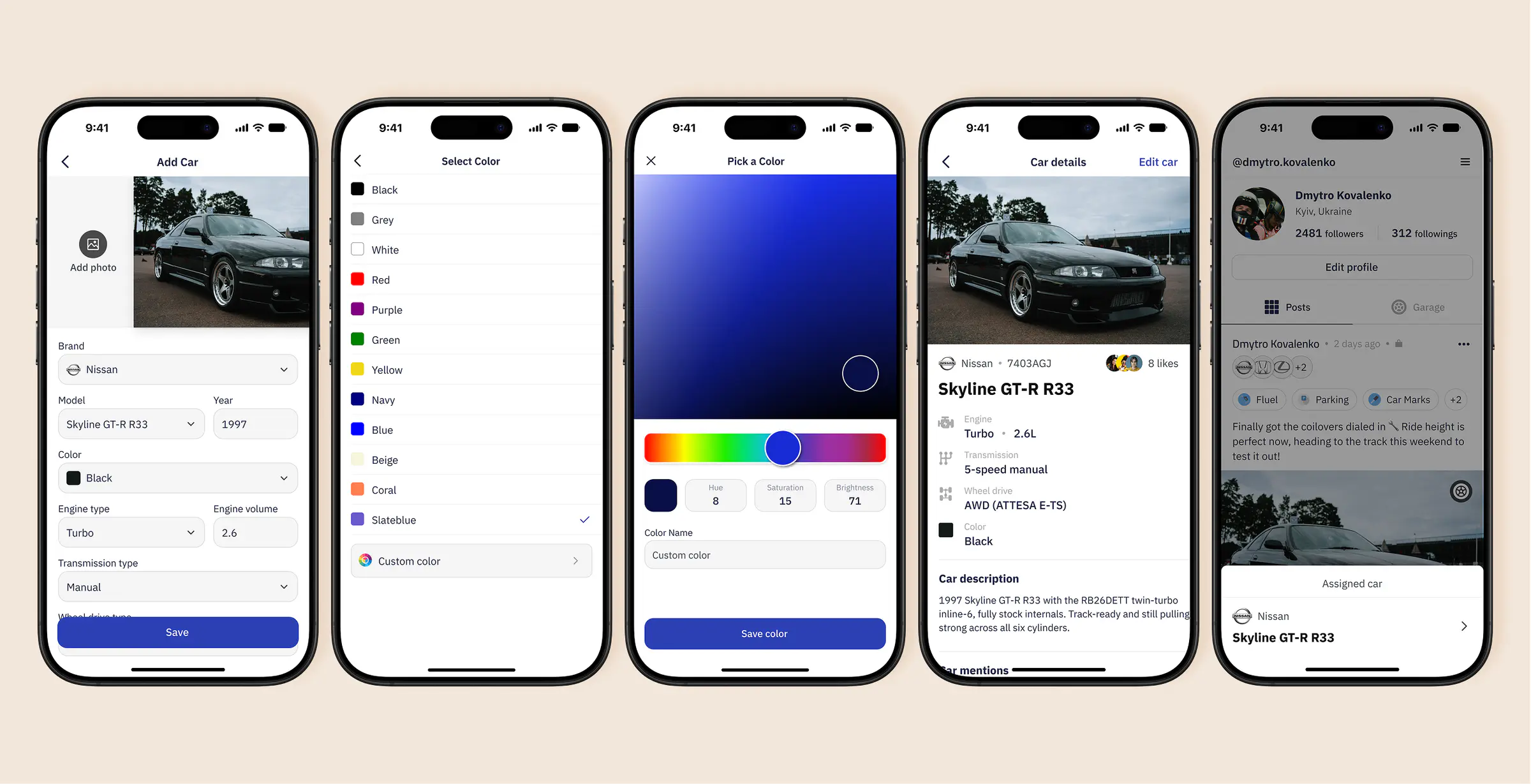
The garage turns a car into a permanent part of a user's identity rather than just a post caption. Owners can build detailed vehicle cards — specifying everything from engine and transmission specs to an exact paint match via a custom color picker.
05 / 05
Profile & Car timeline
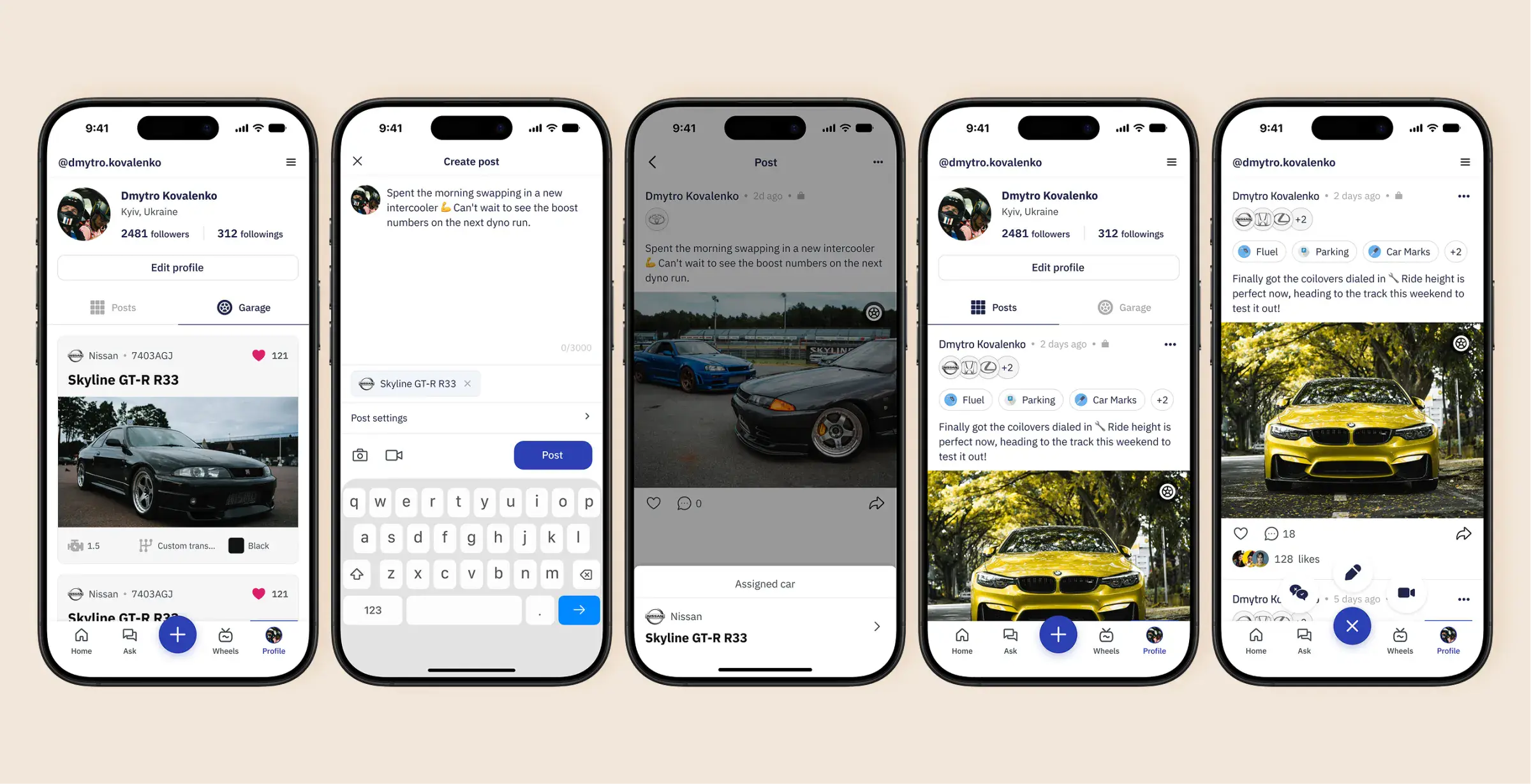
Users can turn their profile into a personal news feed chronicling updates from their garage. By tagging a vehicle directly in a post, owners can document mods, maintenance, and track days — while followers can jump straight from the photo to full car specs via the interactive Assigned car badge.
Conclusion
Designing Snobar was a masterclass in maintaining design consistency across a complex product. With a social feed, short-form video, an upvoted Q&A forum, and structured car profiles all living under one roof, each feature could have easily pulled the interface in a different direction.
To me, that’s where real design craft lies: not in how polished a single hero screen looks, but in how well the entire system holds together at scale — keeping the same components, states, and UX logic rock-solid across dozens of screens, edge cases, and RTL/LTR layouts, all the way down to App Store and Google Play assets.
Other work
0301RozetkaPayFintech / B2CUncovering why buyers abandon RozetkaPay express-checkout, and turning 12 interviews, a usability audit, and a competitor analysis into a clearer path to purchase.02DramoxEntertainment / UXTurning research into a clearer discovery experience — and a feedback loop for continuous learning.03InvestFlowFintech / Web & MobileBuilding a multi-product MVP — spanning the investor web and mobile app, the fundraiser portal, and the internal back-office powering operations behind the scenes.